
Amazon → Shopify
Import Amazon Products to Shopify
Paste an Amazon product link and get a ready-to-edit Shopify product: title, bullet points and description, images, variants and a price in your currency.
4.1 from 8 reviews on the Shopify App Store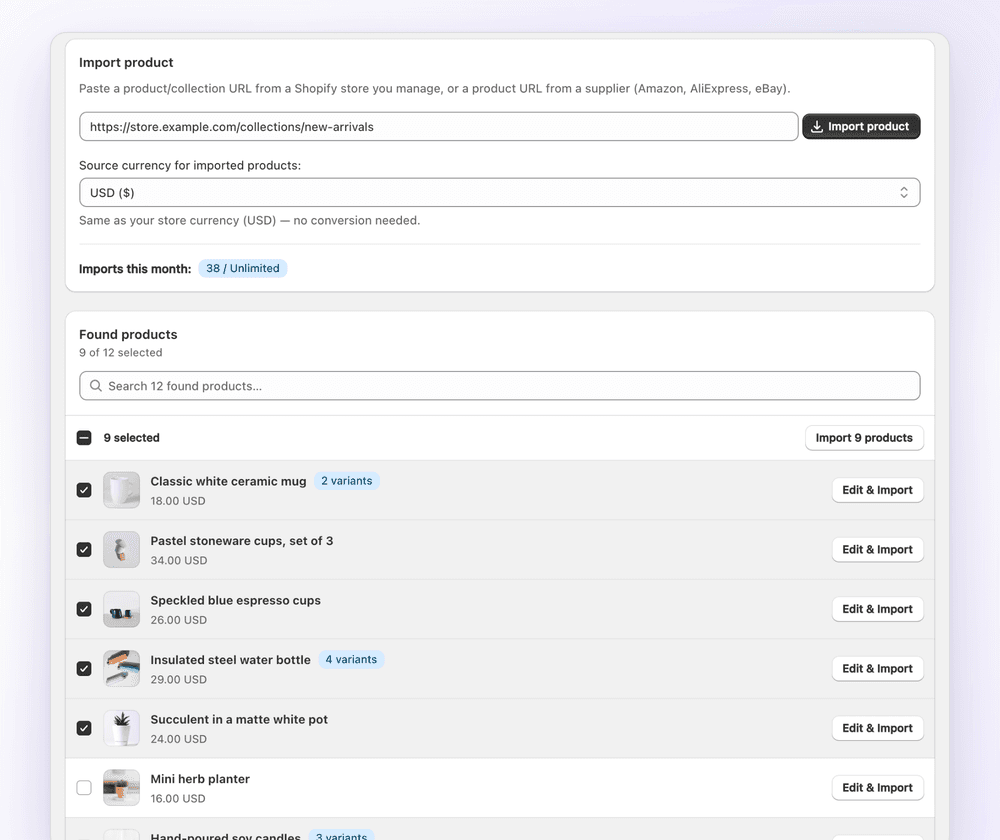
Step by step
How to import Amazon products to Shopify
- Install 1Click from the Shopify App Store.
- Copy the Amazon product URL. Any URL with /dp/ and an ASIN works.
- Paste it into 1Click and pick the marketplace's currency.
- Rewrite the title and bullets with AI, and choose the images to keep.
- Click Import. The product is created in your Shopify admin.
What's imported
What gets imported from Amazon
| Field | How it comes across |
|---|---|
| Title | Amazon titles often run past 150 characters. Shorten them with AI rewrite before import. |
| Bullet points & description | Imported into the product description. AI can rewrite them into your own copy. |
| Images | Main and gallery images. Choose which ones are uploaded. |
| Variants | Size and colour variations become Shopify variants with their own price and SKU. |
| Price | Converted from the marketplace currency, multiplied by your markup and optionally rounded to .99. |
Accepted links: https://www.amazon.com/dp/{ASIN} · https://www.amazon.co.uk/dp/{ASIN} · https://www.amazon.de/dp/{ASIN}
Pricing rules
Worked example: pricing a Amazon product
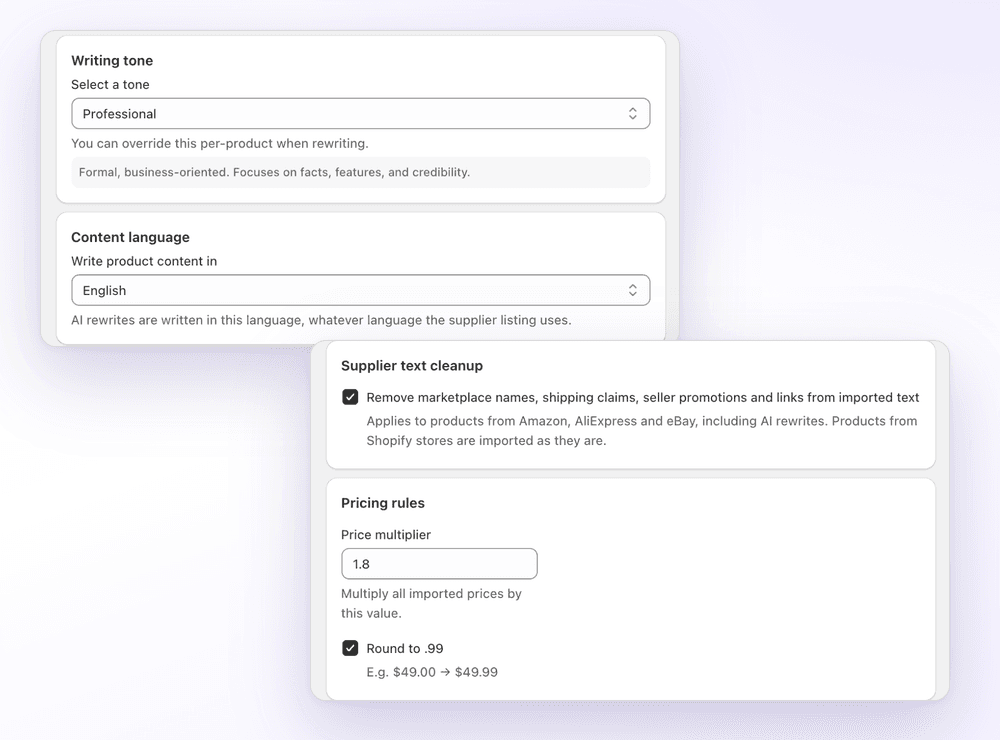
Set a price multiplier and .99 rounding once in settings. When you import, 1Click converts the Amazon price to your store currency, multiplies it and rounds it. Here's a EUR listing going into a USD store with a 1.5× multiplier.
Example exchange rate: 1 EUR = 1.08 USD. Try your own numbers in the free markup calculator.
- Amazon price€21.90
- Converted to USD (× 1.08)$23.65
- Multiplied (× 1.5)$35.48
- Rounded to .99: your price$35.99
Who it's for
Who imports from Amazon to Shopify
- Amazon sellers adding a direct-to-consumer Shopify store
- Building a niche store from products you already source
- Turning long Amazon titles into short, branded names
Compare
Manual vs CSV vs 1Click
| Copy by hand | Shopify CSV | 1Click | |
|---|---|---|---|
| Getting the data in | Retype every field | Fill in a spreadsheet | Paste the Amazon link |
| Images and variants | Upload one by one | Image URLs and a row per variant | Read from the listing |
| Original description | Write it yourself | Write it yourself | AI rewrite |
| Currency and markup | Calculator | Formulas | Automatic, .99 rounding |
New to CSV? See our Shopify CSV import guide and free sample CSV.
FAQ
Amazon to Shopify: FAQ
Still stuck? Email contact@ecomfusion.net.
Can I import Amazon products to Shopify for free?
Yes. The Free plan includes 3 product imports with AI rewriting and currency conversion. Standard is $4.99/month for 100 imports a month.
Which Amazon marketplaces work?
Paste a product link from an Amazon store, such as amazon.com, amazon.co.uk or amazon.de, and choose that store's currency so prices are converted correctly.
Does 1Click copy Amazon A+ content?
No. 1Click imports the title, bullet points and description, images, variants and price. A+ brand content is not copied.
Is 1Click an Amazon affiliate or dropshipping app?
No. 1Click creates regular Shopify products from Amazon listings. It doesn't add affiliate links or place Amazon orders for you.
Can I shorten long Amazon titles automatically?
Yes. Click AI rewrite on the title, or set a tone and language in settings so every rewrite follows your brand voice.
Related

Import your first Amazon products free
Install 1Click free and import your first 3 products today. Paid plans start at $4.99/month.