
Shopify store importer
Copy Products From One Shopify Store to Another
Paste a product or collection link from a Shopify store you manage. 1Click copies the title, description, images, variants and prices into the store you're working in. Copy one product or a whole collection.
4.1 from 8 reviews on the Shopify App Store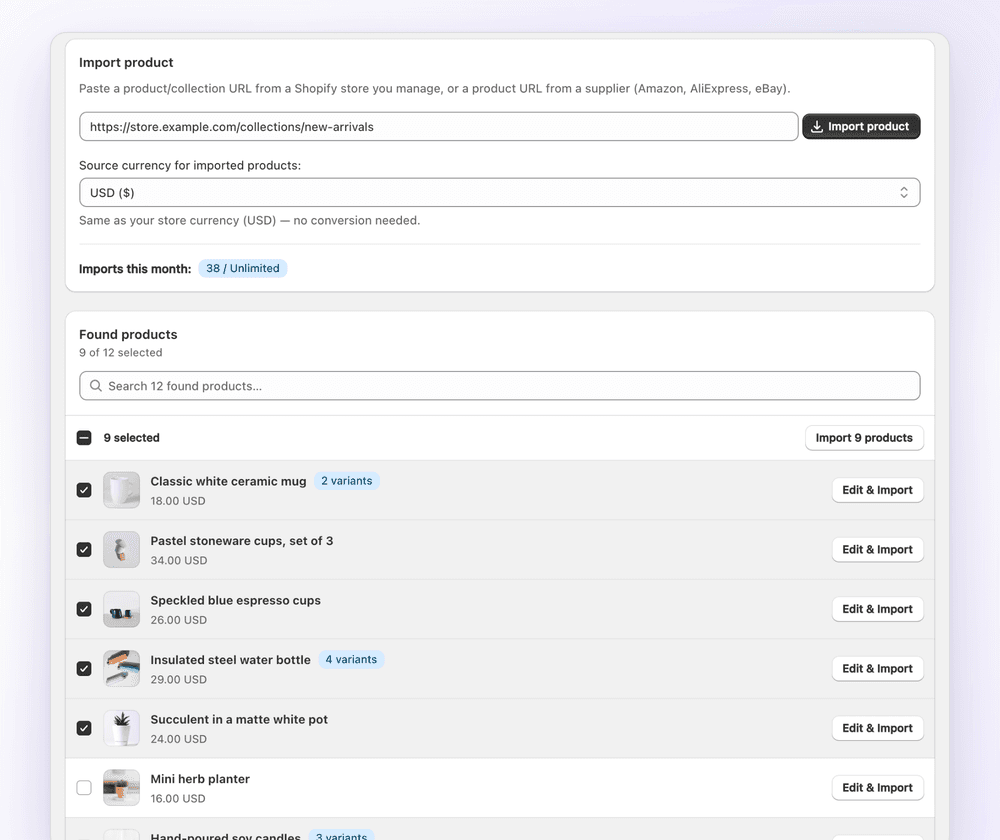
When to use it
Built for merchants with more than one store
- Launching a second store for a new country, language or niche
- Moving products to a new Shopify store
- Keeping a wholesale or outlet store in step with your main store
- Cloning a product to use as the starting point for a similar one
Step by step
How to copy products between Shopify stores
- Install 1Click on the store you want to copy products into.
- Copy a product or collection URL from the other Shopify store you manage.
- Paste it into 1Click and pick the source store's currency.
- Search the found products and select the ones to copy, or open one to edit it.
- Confirm you hold the rights to the products, then click Import.
Whole collections
Copy a collection in one bulk import
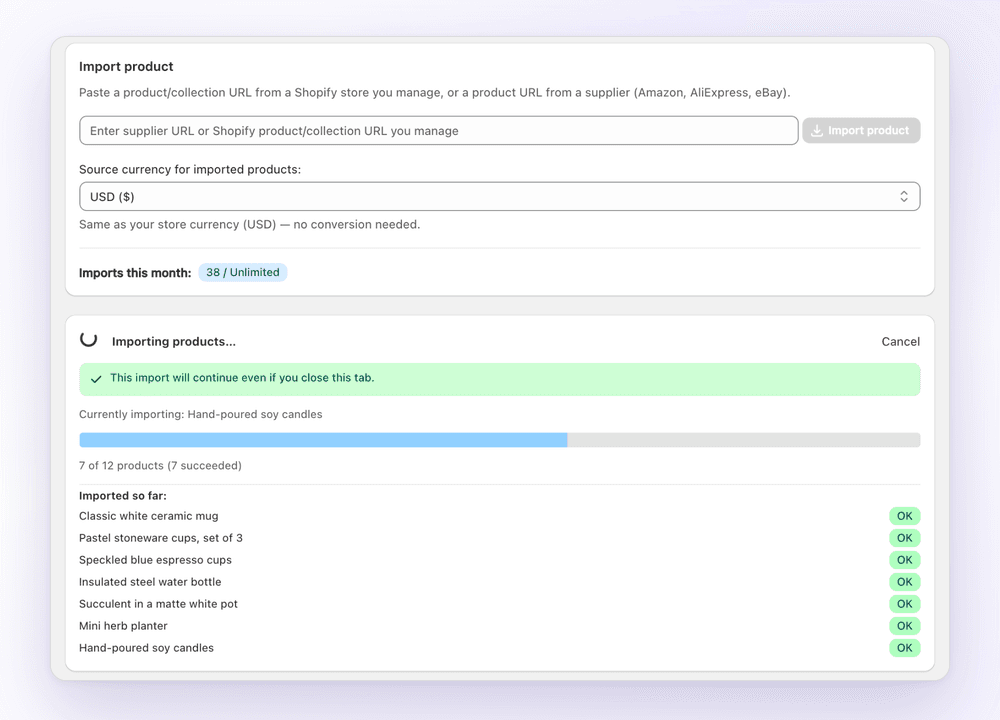
A collection link finds every product in it. Select all or just a few, and 1Click imports them in the background while you get on with something else.
- Search found products
- Select all or some
- Keeps running if you close the tab
Edit on the way
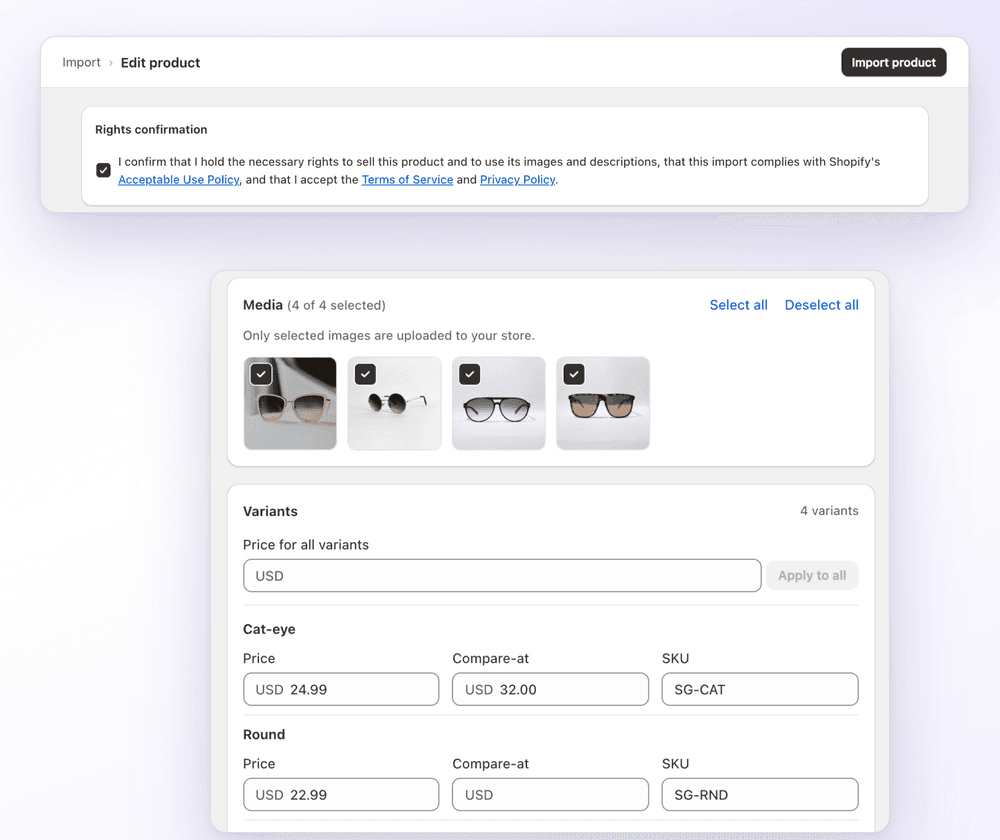
Change prices, images and SKUs as you copy
Selling in a different market? Convert prices to the new store's currency, apply a multiplier, and set new SKUs before the products land.
Know what came from where
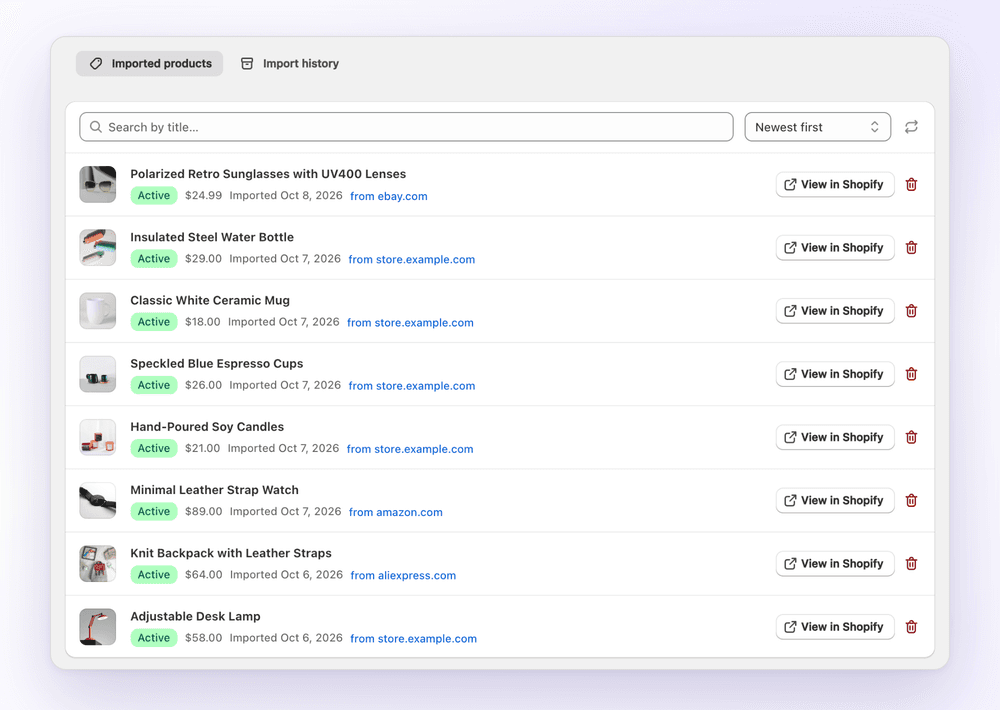
Every copied product stays listed with its source
The Imported products list shows each product's source store, price and import date, with a link to open it in Shopify.
What's copied
What comes across from the source store
| Field | Copied | Notes |
|---|---|---|
| Title and description | Yes | Imported as they are. Your own text isn't cleaned up or changed unless you click AI rewrite. |
| Images | Yes | Choose which ones to keep. |
| Variants and options | Yes | Edit price, compare-at price and SKU per variant. |
| Prices | Yes | Converted to the destination store's currency, with your multiplier and rounding. |
| Collections | Your choice | Add products to the destination store's collections in the editor. |
FAQ
Frequently asked questions
Still stuck? Email contact@ecomfusion.net.
How do I import products from one Shopify store to another?
Install 1Click on the destination store, paste a product or collection link from the source store you manage, select the products and import. Images, variants and prices come across, converted to the destination store's currency.
Can I copy a whole Shopify collection at once?
Yes. Paste the collection URL and 1Click lists every product in it. Select all or some, and import them in one bulk import that keeps running in the background.
Can I copy products from a store I don't own?
No. 1Click copies from Shopify stores you manage and asks you to confirm that you hold the rights to sell each product and use its images and descriptions. Copying a competitor's products and photos can infringe their rights.
Is there a free Shopify store importer?
Yes. 1Click's free plan includes 3 product imports. Standard is $4.99/month for 100 imports a month and Plus is $14.99/month for unlimited imports.
Does it work when the stores use different currencies?
Yes. Choose the source store's currency and prices are converted to the destination store's currency. You can apply your price multiplier and .99 rounding too.
Is copying products better than Shopify's CSV export and import?
For a few collections, copying from a link is quicker: there's no file to export, edit or upload. To move thousands of products at once, Shopify's own CSV export and import is the better tool.
Related

Copy your first 3 products free
Install 1Click free and import your first 3 products today. Paid plans start at $4.99/month.